 Skip to content

You strap on a fitness tracker expecting precise data about your body and workouts, but research reveals these devices can miscalculate calories by up to 93% and underestimate VO2max by 6-10 ml/kg/min. While fitness trackers offer valuable insights into your health metrics, understanding their limitations and strengths is essential for making informed decisions about your wellness journey. This guide breaks down how trackers measure activity, which metrics you can trust, and practical strategies to maximize the benefits of your device while avoiding common pitfalls that mislead beginners.
Table of Contents
- Key takeaways
- How fitness trackers measure your activity
- Accuracy and limitations of common fitness metrics
- Interpreting your fitness data: what to focus on and why
- Practical tips to optimize your fitness tracking
- Discover personalized nutrition to complement your fitness journey
- FAQ
Key Takeaways
| Point | Details |
|---|---|
| Sensor accuracy varies | Fitness trackers rely on multiple sensors whose accuracy varies by metric and activity, so measurements can fluctuate. |
| Heart rate reliability | Heart rate data is generally reliable especially during steady state activity but may have bias during vigorous movement. |
| Calories and VO2max errors | Calories burned can be highly inaccurate and VO2max is often underestimated by consumer devices. |
| Step counting limits | Step counting is moderately accurate for walking and running but struggles with minimal arm movement and false steps. |
How fitness trackers measure your activity
Fitness trackers rely on multiple sensors working together to capture your body’s movements and physiological responses throughout the day. The accelerometer serves as the primary motion detector, measuring changes in velocity and direction to count steps and estimate distance traveled. Fitness trackers primarily use accelerometers for step counting and PPG sensors for heart rate via optical blood flow measurement, gyroscopes for orientation, and sometimes SpO2, GPS, and altimeters for additional metrics. Gyroscopes complement accelerometers by detecting rotational movement, helping your device distinguish between walking, running, or cycling.
Optical heart rate sensors use photoplethysmography (PPG) technology, which shines LED light into your skin and measures blood flow changes with each heartbeat. This method works well during rest and moderate activity but faces challenges during vigorous movement when your arm swings rapidly or muscles contract intensely. GPS modules track outdoor routes and pace, while altimeters measure elevation changes for stair climbing and hiking metrics.
Advanced trackers incorporate additional sensors like SpO2 monitors that estimate blood oxygen saturation and skin temperature sensors that help detect illness or track menstrual cycles. These sensors generate the raw data your device processes into familiar metrics: daily step counts, active minutes, heart rate zones, sleep stages, and estimated calories burned. Understanding which sensors contribute to each metric helps you recognize why certain measurements fluctuate or seem inconsistent.
Your tracker combines sensor data with personal information like age, weight, height, and sex to calculate estimates for calories and fitness levels. The algorithms processing this information vary by manufacturer, which explains why two devices can show different results for the same activity. For comprehensive health monitoring beyond your wrist, explore fitness calculators for health that complement your tracking data with additional body composition and metabolic measurements.
Key metrics tracked by most devices include:
- Steps and distance covered throughout the day
- Heart rate during rest, activity, and recovery periods
- Sleep duration and quality across different stages
- Calories burned through basal metabolism and physical activity
- Active minutes spent in moderate to vigorous intensity zones
- Elevation gained from stairs or inclines
Accuracy and limitations of common fitness metrics
Research reveals significant variation in accuracy across different fitness metrics, with some measurements proving more reliable than others for tracking your health progress. Heart rate data is good overall but small bias exists; steps and sleep have moderate accuracy; calories burned can have large error; VO2max is often underestimated by consumer devices. Heart rate monitoring performs best during steady-state activities like walking or jogging, where optical sensors maintain consistent skin contact and minimal motion interference.
| Metric | Typical accuracy | Common issues |
|---|---|---|
| Heart rate | Good with minor bias | Reduced accuracy during vigorous exercise and poor sensor contact |
| Step count | Moderate | Miscounts during non-walking movements or very slow walking |
| Sleep tracking | Moderate | Difficulty distinguishing light sleep from quiet wakefulness |
| Calories burned | Large error range (27-93%) | Varies by activity type and individual metabolism |
| VO2max | Underestimated 6-10 ml/kg/min | Algorithms use indirect estimation rather than lab testing |
Step counting achieves moderate accuracy for walking and running but struggles with activities involving minimal arm movement like pushing a shopping cart or carrying groceries. Your device might also register false steps during activities like chopping vegetables or typing if the motion mimics walking patterns. Sleep tracking faces similar challenges, as devices infer sleep stages from movement and heart rate patterns rather than measuring brain waves like laboratory polysomnography.

Calorie expenditure estimates carry the largest margin of error because they depend on numerous individual factors your tracker cannot directly measure, including muscle mass, metabolic efficiency, and exercise form. Motion artifacts reduce heart rate accuracy during vigorous exercise; strength training undercounted without manual tagging; higher BMI affects intensity measures. When you lift weights or perform high-intensity intervals, your tracker may significantly underestimate energy expenditure because these activities create muscle tension and rapid movements that confuse optical sensors.
Pro Tip: Track weekly averages rather than obsessing over daily fluctuations. Your tracker provides more reliable insights when you look at trends over seven to fourteen days, smoothing out the inevitable measurement errors that occur on any single day.
Common limitations you should know:
- Optical sensors lose accuracy when devices shift during intense movement
- Algorithms trained on average populations may not suit your unique physiology
- Non-step activities like cycling or swimming often go unrecognized without manual input
- Environmental factors like cold weather reduce skin blood flow and sensor performance
- Battery-saving modes may reduce sampling frequency and measurement precision
Understanding these limitations helps you interpret your data more realistically and avoid frustration when numbers seem inconsistent. For more guidance on interpreting fitness metrics accurately, check out how to track progress health and fitness using multiple measurement approaches beyond wrist-worn devices.
Interpreting your fitness data: what to focus on and why
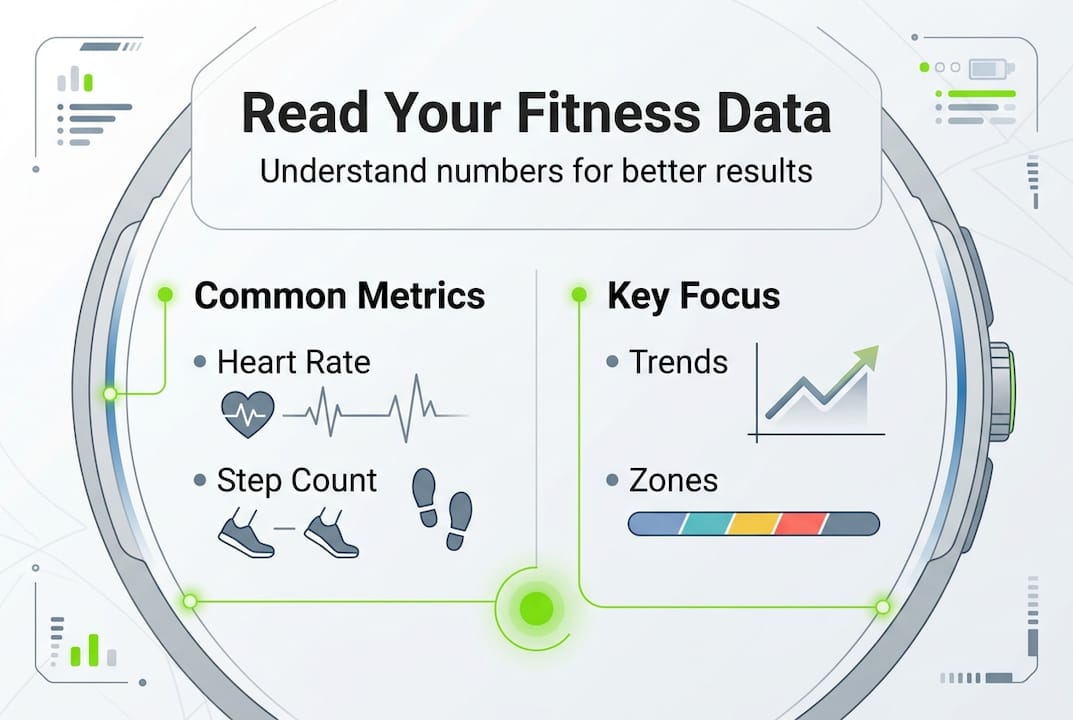
The most valuable insights from your fitness tracker come not from raw numbers but from understanding which metrics genuinely reflect your health status and progress toward goals. Experts recommend prioritizing heart rate variability (HRV) and recovery over volume metrics; vigorous activity yields disproportionate health benefits though often undervalued by trackers. HRV measures the variation in time between consecutive heartbeats, with higher variability generally indicating better cardiovascular fitness and recovery capacity.
When your HRV drops significantly below your baseline, it signals that your body needs rest rather than another intense workout. This metric provides early warning of overtraining, inadequate sleep, or mounting stress before you feel physically exhausted. Similarly, resting heart rate trends reveal fitness improvements over weeks and months, as your heart becomes more efficient at pumping blood with regular training.
Step counts and active minutes serve as useful motivational tools but tell an incomplete story about your actual health gains. Walking 10,000 steps at a leisurely pace delivers different benefits than completing 6,000 steps that include several intervals of brisk walking or jogging. Your tracker may award the same active minutes for both, yet the higher-intensity session provides superior cardiovascular adaptations and metabolic improvements.
Pro Tip: Pay attention to your heart rate recovery after exercise. A faster return to your resting heart rate within one to two minutes indicates improving cardiovascular fitness, even when other metrics seem stagnant. Learn more about this important measure with our heart rate recovery guide.
Focus your attention on these meaningful metrics:
- Heart rate variability trends showing recovery and stress levels
- Resting heart rate changes indicating fitness adaptations
- Time spent in higher intensity zones rather than total active minutes
- Sleep consistency and duration patterns across weeks
- Recovery scores that integrate multiple physiological signals
Research shows that vigorous physical activity, even in small doses, produces health benefits that far exceed what moderate activity alone can achieve. Your tracker might credit you with 30 active minutes for a gentle walk and 30 minutes for an intense cycling session, treating them equally despite the cycling session delivering substantially greater cardiovascular and metabolic improvements. Push yourself to include some vigorous effort in your routine, even if your device doesn’t fully reward that intensity.
Understanding heart rate zones helps you train more effectively by matching workout intensity to specific goals. Zone 2 training (roughly 60-70% of maximum heart rate) builds aerobic base and fat-burning capacity, while Zone 4 and 5 efforts (80-95% of max) improve VO2max and anaerobic threshold. Your tracker displays these zones, but remember the calculations use age-based formulas that may not perfectly match your individual physiology. For comprehensive insights into how physical activity impacts your overall health, explore physical activity role in longevity.
Practical tips to optimize your fitness tracking
Maximizing the value of your fitness tracker requires deliberate strategies that improve data accuracy and help you extract actionable insights from the information collected. Wearing trackers snugly on the wrist, updating profiles and algorithms, tracking weekly averages, and cross-verifying data improve accuracy and utility. Proper placement matters significantly for optical heart rate sensors, which need consistent contact with your skin to detect blood flow changes accurately.
Position your tracker about one finger width above your wrist bone, tight enough that it doesn’t slide around during movement but not so tight that it restricts circulation or feels uncomfortable. During workouts, you might need to tighten the band slightly compared to all-day wear to prevent motion artifacts that corrupt heart rate readings. Some activities like rowing or weightlifting cause wrist flexion that can disrupt sensor contact, so consider wearing your device higher on your forearm during these sessions.
Follow these steps to enhance tracking accuracy:
- Update your personal profile whenever your weight changes by more than five pounds or you reach a fitness milestone
- Calibrate GPS tracking by completing several outdoor walks or runs in open areas with clear satellite reception
- Enable automatic activity recognition but manually confirm or correct the activity type after workouts
- Charge your device regularly to prevent low battery modes that reduce sensor sampling rates
- Clean the sensors weekly to remove sweat, oils, and debris that interfere with optical measurements
- Input strength training sessions manually or use specific workout modes that account for resistance exercise
Cross-verification provides reality checks that keep your tracking honest and reveal when device measurements drift from actual results. Weigh yourself weekly on a reliable scale rather than trusting only your tracker’s calorie balance calculations. Take progress photos and body measurements monthly to capture changes in body composition that weight alone might miss. Compare your tracker’s distance estimates against known routes or measured courses to identify systematic errors in stride length calculations.
Pro Tip: Create a simple spreadsheet or use a notes app to record your weekly averages for key metrics like resting heart rate, HRV, sleep duration, and active minutes. This manual tracking takes five minutes weekly but reveals trends that daily fluctuations obscure on your device’s small screen.
Additional optimization strategies:
- Sync your tracker daily to ensure firmware updates install promptly with algorithm improvements
- Experiment with different wearing positions during specific activities to find what works best
- Join online communities for your device brand to learn troubleshooting tips from experienced users
- Set realistic daily goals that challenge you without creating unsustainable pressure
- Review your data weekly rather than obsessively checking throughout the day
Vigorous physical activity yields more health benefits than moderate, so users should push their intensity beyond what trackers report. Don’t let your device’s conservative calorie estimates or active minute calculations limit your effort. If you feel capable of pushing harder during a workout, do so even when your tracker suggests you’ve already met your daily goal. For more comprehensive guidance on effective tracking strategies, visit our resource on using fitness calculators effectively and learn about tracking fitness progress using multiple complementary tools.
Discover personalized nutrition to complement your fitness journey
While fitness tracking provides valuable data about your activity levels and physical responses, pairing this information with personalized nutrition guidance creates a comprehensive approach to reaching your health goals. Dietium offers tailored meal plans designed around your specific body metrics, activity patterns, and wellness objectives, ensuring your nutrition supports rather than undermines your fitness efforts. Our platform integrates with your tracking data to recommend optimal macronutrient ratios, meal timing strategies, and calorie targets that align with your actual energy expenditure.
Explore personalized meal plans that adapt as your fitness level improves and your body composition changes. Our nutritional assessment methods go beyond simple calorie counting to evaluate micronutrient needs, hydration status, and eating patterns that impact your training recovery and performance. When you combine accurate fitness tracking with evidence-based nutrition, you create the foundation for sustainable progress. Visit our guide to track progress health and fitness for integrated strategies that connect your activity data with nutritional adjustments for optimal results.
FAQ
What is heart rate variability and why is it important?
Heart rate variability (HRV) measures the variation in time between consecutive heartbeats, reflecting your autonomic nervous system’s balance between stress and recovery states. Higher HRV generally indicates better cardiovascular fitness, adequate recovery, and lower stress levels, while declining HRV can signal overtraining, illness, or insufficient rest. Tracking HRV trends helps you optimize training intensity and recognize when your body needs additional recovery time. Learn more about related metrics in our heart rate recovery guide.
How accurate are calorie counts on fitness trackers?
Calorie counts from fitness trackers can have large errors ranging from 27% to 93% depending on the activity type and individual factors. These estimates work better for steady-state cardio like walking or jogging but struggle with strength training, high-intensity intervals, and activities involving minimal arm movement. Use calorie data as rough estimates for tracking trends over time rather than precise measurements for daily energy balance calculations.
Can fitness trackers accurately measure strength training?
Trackers often undercount strength training without manual tagging because resistance exercises create muscle tension and static holds that optical sensors and accelerometers struggle to interpret correctly. Most devices significantly underestimate the energy expenditure and cardiovascular demand of lifting weights compared to cardio activities. Manually input your strength sessions or use specific resistance training modes to improve accuracy, and combine tracker data with progress photos, body measurements, and performance logs for comprehensive strength training assessment. Explore our guide to track progress health and fitness for multi-modal tracking strategies.
What are the best practices for wearing a fitness tracker?
Wear your fitness tracker snugly on your wrist about one finger width above the wrist bone, ensuring consistent sensor contact with your skin without restricting blood flow. Tighten the band slightly during workouts to prevent the device from sliding around and creating motion artifacts that corrupt heart rate readings. Clean the sensors weekly and adjust placement during specific activities like rowing or weightlifting that cause wrist flexion, potentially moving the device higher on your forearm for better contact. Check our resource on using fitness calculators effectively for additional tips on optimizing your tracking setup.


