 Skip to content

TL;DR:
- Technology reduces meal prep time, food waste, and decision fatigue through automation and smart tools.
- AI apps and robotic systems improve accuracy and efficiency but require careful setup and management.
- Over-automation can diminish food enjoyment, so a human-centered, balanced approach is essential.
Spending two hours on Sunday planning meals, only to toss half your groceries by Thursday, is a frustrating cycle most meal preppers know well. The gap between good intentions and consistent execution is real, and it costs you time, money, and nutritional progress. Technology now bridges that gap directly. From AI-powered apps that auto-generate shopping lists to robotic cooking systems that handle batch meals, the tools available in 2026 are precise, practical, and built for people who take their health seriously. This guide walks you through why tech-driven meal prepping works, which tools to use, and how to build a workflow that actually sticks.
Table of Contents
- Why integrate technology into meal prepping?
- Essential tools and apps for tech-enabled meal prepping
- Step-by-step: How to meal prep with technology
- Troubleshooting, limitations, and maximizing results
- A fresh look: Why smart meal prepping should stay human-centered
- Get more from technology-powered meal prepping with Dietium
- Frequently asked questions
Key Takeaways
| Point | Details |
|---|---|
| Save time and reduce waste | Meal prepping with technology can cut hours from planning and cooking each week while lowering grocery bills. |
| Boost accuracy and health | AI-powered apps improve macro and calorie tracking, making healthy eating more precise and sustainable. |
| Balance convenience and control | Automation helps most when you adapt tech to fit your real-world habits and kitchen routines. |
| Watch for tech pitfalls | Avoid burnout and abandonment by starting with simple tools and upgrading gradually. |
Why integrate technology into meal prepping?
Most meal preppers hit the same wall: the planning phase takes longer than the cooking. You cross-reference recipes, calculate macros, write grocery lists by hand, and still end up with ingredients that expire unused. Technology targets each of these friction points with measurable results.
The core benefits of tech-enabled meal planning for health come down to five areas:
- Time savings: Automated scheduling and list generation cut hours from your weekly routine.
- Reduced food waste: Smart apps track what you have and suggest recipes around existing inventory.
- Nutrition precision: AI tools calculate macros, calories, and micronutrients automatically.
- Lower decision fatigue: Pre-set meal plans remove the daily “what should I eat?” drain.
- Scalability: Apps adapt to your household size, dietary restrictions, and fitness goals.
Meal planning apps automate planning, reduce manual workload, and save users 2 to 3 hours per week with up to a 40% reduction in food waste. That kind of efficiency adds up fast over a month.
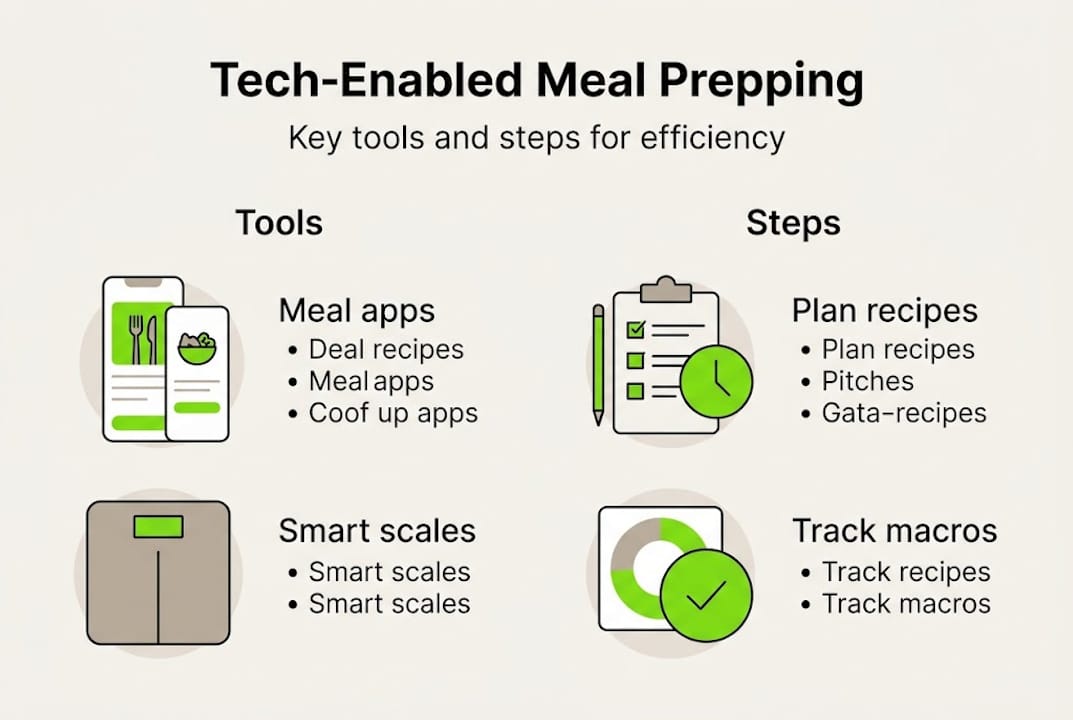
Apps like Eat This Much, MealPrepPro, and FitChef sit at the intersection of nutrition science and scheduling logic. Eat This Much, for example, generates full weekly menus based on your calorie targets and dietary preferences, then builds a categorized grocery list instantly. You can explore a full breakdown of top meal planning apps to compare features side by side.
Beyond convenience, the data accuracy these tools provide is a serious advantage for anyone tracking macros or managing a specific health condition. Manual logging is error-prone. Apps eliminate guesswork and give you a reliable nutritional picture every day.
For a broader view of how consistent planning supports long-term wellness, the meal planning tips available on Dietium cover both the strategy and the science behind building a sustainable routine.
Now that you see how tech can transform meal prepping, let’s look at the essential tools you’ll need.
Essential tools and apps for tech-enabled meal prepping
Choosing the right tool depends on your goals, budget, and how much automation you actually want. Here’s a direct comparison of the leading options across apps and robotic systems.
| Tool | Type | Key feature | Cost | Best for |
|---|---|---|---|---|
| Mealime | App | Simple meal plans + grocery lists | Free / $6/mo | Beginners |
| Eat This Much | App | Auto meal generation by macros | Free / $9/mo | Macro trackers |
| FitChef | App | AI scheduling + prep planning | Subscription | Fitness-focused users |
| MealPrepPro | App | Batch cooking focus + timers | Free / $5/mo | Dedicated preppers |
| Posha | Robotics | Automated one-pot cooking | ~$1,500+ | Busy households |
| Liffo | Robotics | Batch meal automation | Premium | Large families |
Apps utilize AI and advanced algorithms for meal generation, macro tracking, and efficient scheduling, which separates them from basic recipe apps that simply display instructions. The AI layer is what makes these tools genuinely useful for health-focused users.
On the robotics side, robotic systems automate cooking for larger households, handling batch meals with minimal involvement. Systems like Liffo and Posha are designed to execute full recipes while you focus on other tasks.
Key features to evaluate when choosing your tools:
- Macro and calorie tracking integration
- Automated grocery list generation
- Inventory awareness (what’s already in your fridge)
- Dietary filter options (vegan, gluten-free, low-carb)
- Sync with fitness trackers or health platforms
For a structured side-by-side review, the meal planning apps comparison on Dietium breaks down features and pricing in detail. You can also check top meal planning tools for a broader technology overview.
Pro Tip: If you’re new to meal prep apps, start with Mealime. It has the lowest cognitive load of any app in this category. Once you’re comfortable with a weekly planning rhythm, upgrade to a macro-focused tool like Eat This Much.
With your tools selected, let’s walk through the step-by-step process of integrating them into your meal prepping routine.
Step-by-step: How to meal prep with technology
A structured workflow is what separates people who use these tools consistently from those who abandon them after two weeks. Follow this process to build a repeatable system.
- Set up your nutrition profile. Enter your goals, dietary preferences, and calorie targets into your chosen app. This is the foundation everything else builds on.
- Generate your weekly meal plan. Let the app suggest a full week of meals. Review and adjust for real-life constraints like travel days or social meals.
- Auto-generate your shopping list. Most apps produce a categorized list by store section. This alone cuts grocery time significantly.
- Schedule batch-cooking sessions. Identify which meals share ingredients or cooking methods and group them. Apps like MealPrepPro include built-in batch timers.
- Track macros during and after cooking. Use photo-based AI tracking for the most accurate results. Photo-based AI apps achieve a mean absolute percentage error (MAPE) of just 1.2%, far superior to manual entry methods.
- Integrate robotic cooking if your setup allows. Robotic cooking systems can save up to 20 hours a week for busy households, though they require upfront investment and dedicated counter space.
| Phase | Tool used | Time saved |
|---|---|---|
| Planning | Meal plan app | 45 to 60 min/week |
| Shopping | Auto grocery list | 20 to 30 min/week |
| Cooking | Robotic system | Up to 20 hrs/week |
| Tracking | AI photo logger | 10 to 15 min/day |
Security note: Always keep WiFi-connected kitchen devices updated with the latest firmware. Smart appliances are vulnerable to security exploits when running outdated software.
Pro Tip: After the app generates your plan, spend five minutes adjusting for leftovers. Build meals that intentionally reuse Tuesday’s roasted vegetables in Thursday’s grain bowl. This cuts waste and reduces the number of unique ingredients you need to buy.
For deeper guidance on automation for meal prepping and how to set up tracking macros effectively, Dietium’s resource library covers both in practical detail. You can also review the full FitChef technology stack to understand how AI scheduling works at a deeper level.
Even a streamlined process can encounter hiccups. Here’s how to address common problems and get the most from your tech.
Troubleshooting, limitations, and maximizing results
No technology solves every problem, and meal prep tools are no exception. Knowing where these systems fall short helps you use them more effectively.
Common app limitations:
- Most apps don’t check your actual fridge inventory, so they may suggest buying items you already have.
- Suggested recipes often assume intermediate cooking skills, which can frustrate beginners.
- Apps rarely account for food waste cycles or how to repurpose near-expiry ingredients.
- Notification overload from multiple apps creates friction and reduces long-term adherence.
Apps often neglect fridge inventory and individual cooking ability, and an estimated 81% of users may abandon tools due to skill mismatches or complexity.
“81% abandon apps over complexity. Start simple to stick with it.”
Robotic cooking limitations are equally worth noting. Robotic systems are restricted to one-pot meals, require WiFi and ongoing subscriptions, and still involve manual prep and cleanup despite their automation claims. They work best as a complement to your workflow, not a full replacement for it.
Practical workarounds:
- Set a weekly manual inventory reminder before generating your meal plan. A two-minute fridge check prevents duplicate purchases.
- Use the app’s “swap” feature to replace complex recipes with simpler ones until your skills improve.
- Prioritize eco-friendly meal planning strategies that build waste reduction into your weekly routine from the start.
- Consult AI meal planning insights to understand how to configure AI tools around your actual habits rather than ideal ones.
The most successful tech-enabled preppers treat apps and robots as assistants, not autopilots. They review suggestions, override what doesn’t fit, and gradually build a system that reflects their real kitchen, schedule, and preferences.
A fresh look: Why smart meal prepping should stay human-centered
Here’s something most tech guides won’t tell you: over-automating your meals can quietly drain the enjoyment out of eating. When every meal is optimized, logged, and scheduled, food stops being something you look forward to and starts feeling like a compliance task. That’s tracking fatigue, and it’s more common than the app companies would like you to know.
The best approach is selective automation. Automate the parts you genuinely dislike, such as building grocery lists, calculating macros, and scheduling batch sessions. Keep hands-on the parts that connect you to your food, like seasoning, experimenting with a new recipe, or cooking with family.
Meal prepping success isn’t only about speed and data. Flavor, creativity, and the satisfaction of a well-cooked meal matter too. Technology works best when it removes friction without removing meaning. Use it to protect your time, but don’t let it replace your food intuition.
The core values of meal planning have always been about building a sustainable, enjoyable relationship with food. Technology should support that goal, not override it.
Get more from technology-powered meal prepping with Dietium
Dietium brings together the tools, guides, and personalized resources you need to put this into practice. Whether you’re ready to automate your meal planning with smart scheduling or want to explore personalized meal plans built around your specific health goals, Dietium’s platform connects you with data-driven solutions that fit real life. Families can also access dedicated guidance through the meal prepping for families resource, which covers batch cooking, budget planning, and kid-friendly nutrition. Start with one tool, build your system, and let the platform grow with your goals.
Frequently asked questions
What are the drawbacks of tech-driven meal prepping?
Tech tools often overlook your fridge inventory and individual cooking skill level, and 81% of users may abandon apps due to complexity or skill mismatches. Overuse can also lead to tracking fatigue, reducing long-term adherence.
How much time can I actually save by using meal prepping apps or robots?
Apps typically save 2 to 3 hours weekly on planning and shopping. Robotic cooking systems can save up to 20 hours per week for households that use them consistently for batch meals.
Are there affordable options for tech-enabled meal prepping?
Most meal prep apps offer free tiers or subscriptions under $10 per month. Full robotic systems like Posha cost $1,500 or more, making them a significant investment best suited to households with high cooking volume.
How accurate are AI nutrition and calorie trackers compared to manual logging?
Photo-based AI trackers achieve error rates as low as 1.2% MAPE, compared to manual logging which typically exceeds 15% error. The accuracy gap is substantial for anyone tracking macros seriously.


