 Skip to content

Meal planning has a reputation for being tedious, time-consuming, and hard to maintain. Most people abandon it within weeks, not because they lack motivation, but because the manual process is genuinely exhausting. Here’s the reality: automated meal planning simplifies daily nutrition choices for busy people, and modern tools now handle the heavy lifting for you. This article walks you through what meal planning automation is, how it personalizes your nutrition, which tools deliver real results, and how to use automation to make grocery shopping faster and smarter.
Table of Contents
- What is meal planning automation?
- Key benefits of automating meal planning
- Meal planning automation tools: A comparison
- How meal planning automation personalizes nutrition
- Streamlining grocery shopping with meal planning automation
- Overcoming common pitfalls in meal planning automation
- Take your next step: Smart solutions for meal planning automation
- Frequently asked questions
Key Takeaways
| Point | Details |
|---|---|
| Saves time | Meal planning automation slashes hours off your weekly nutrition routine. |
| Personalizes nutrition | Automation ensures your meal plan fits your unique dietary needs and goals. |
| Streamlines grocery shopping | Smart lists keep shopping organized, healthy, and cost-effective. |
| Reduces decision fatigue | Automation eliminates daily guessing about what to eat by planning in advance. |
What is meal planning automation?
Meal planning automation means using digital tools and apps to generate custom meal schedules, recipe suggestions, and ingredient lists based on your personal health data. Instead of manually researching recipes, calculating macros, and writing grocery lists by hand, the system does it for you. You enter your dietary preferences, health goals, and any food restrictions, and the algorithm builds a plan around your inputs.
Many people assume these tools are complicated to set up. They are not. Most platforms take under ten minutes to configure, and the results are immediate. The top meal planning tools available today are designed for people with zero technical background.
“Switching to automated meal planning gave me back nearly three hours every week I used to spend searching for recipes and writing shopping lists.” This kind of time recovery is exactly what automation is built to deliver.
Here are the core features you can expect from most automation platforms:
- Recipe suggestions based on your dietary profile
- Nutrition tracking with real-time macro and calorie breakdowns
- Smart grocery lists generated directly from your weekly meal plan
- Dietary customization for allergies, intolerances, and lifestyle choices
- Meal schedule management with reminders and swap options
Explore personalized meal plans to see how these features translate into real, structured eating routines.
Key benefits of automating meal planning
Automation removes the two biggest barriers to consistent healthy eating: decision fatigue and time. Decision fatigue is the mental exhaustion that comes from making too many food choices throughout the day. When your meals are pre-planned, that cognitive load disappears.
Meal planning automation increases consistency and reduces decision fatigue, which directly improves diet quality over time. You stop defaulting to takeout or processed snacks because a better option is already planned and ready.
Here are the most impactful benefits users report:
- Personalized eating patterns aligned with your calorie and macro targets
- Automated grocery shopping lists that eliminate forgotten items and impulse buys
- Reduced food waste through precise portion planning
- Better diet variety without the effort of manual research
- Consistent nutrition even during high-stress weeks
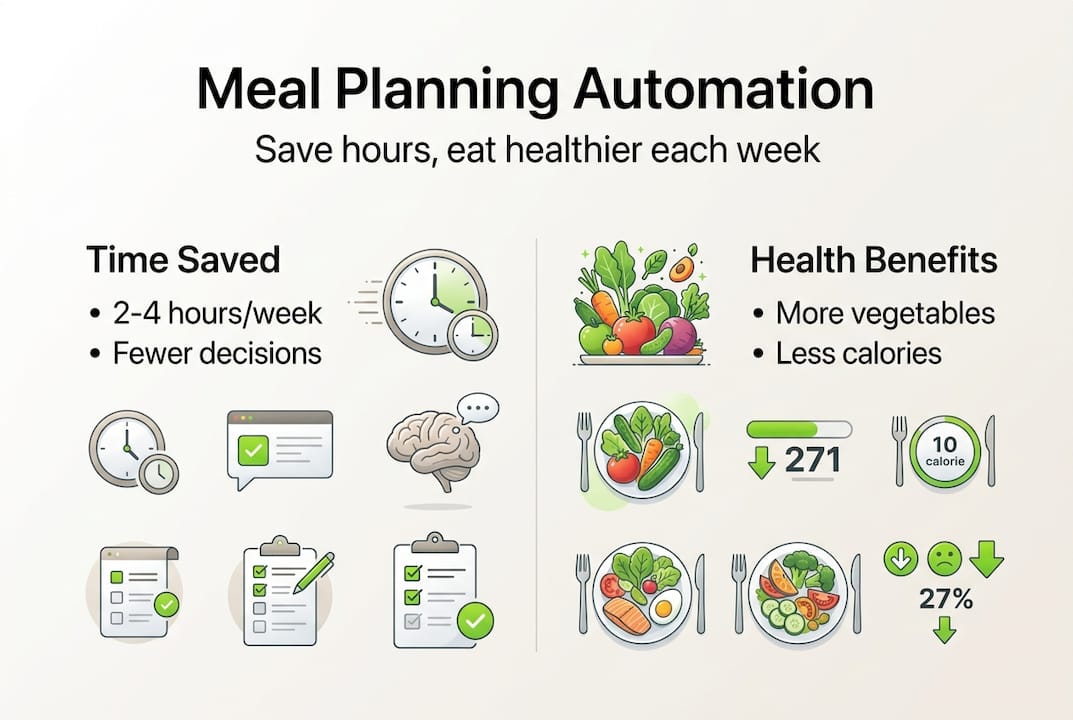
Studies on meal planning habits show that people who plan meals in advance eat more vegetables, consume fewer calories from fast food, and spend less money on groceries each week.
Statistic to note: Users of automated meal planning tools report saving an average of two to four hours per week compared to manual planning methods.
Pro Tip: Set your automation tool to rotate meal categories every week. For example, assign Monday to plant-based meals and Thursday to high-protein options. This prevents burnout and keeps your nutrition balanced without extra effort.
Meal planning automation tools: A comparison
Not all meal planning apps offer the same automation features, so choosing the right platform matters. Some focus on recipe discovery, while others prioritize nutrition tracking or grocery list integration. The best tools combine all three.
Here is a side-by-side comparison of key features to evaluate:
| Feature | Basic tools | Mid-tier tools | Advanced platforms |
|---|---|---|---|
| Dietary customization | Limited | Moderate | Full (allergies, macros, lifestyle) |
| Grocery list integration | Manual export | Semi-automated | Fully automated |
| Nutrition tracking | Calorie count only | Macros included | Full micronutrient breakdown |
| Mobile accessibility | Web only | Mobile app | Cross-device sync |
| Recipe variety | Small library | Moderate library | Large, rotating library |
| Fitness goal alignment | None | Basic | Integrated with fitness data |
When evaluating platforms, prioritize these standout features:
- Real-time nutrition feedback as you build your plan
- Allergy and intolerance filters that apply across all suggestions
- Grocery list sync with delivery services or store apps
- Flexible swap options so you can adjust meals without rebuilding the whole plan
- Progress tracking tied to your health goals
Review personalized meal plan options to identify which platform features align with your specific nutrition goals.
How meal planning automation personalizes nutrition
Personalization is what separates automation from generic meal guides. When you input your age, weight, activity level, and health goals, the system calculates your calorie needs, macro targets, and micronutrient priorities. It then filters recipes and portions to match those numbers precisely.

Personalization in automated meal planning accounts for dietary restrictions and fitness goals, making it far more accurate than any one-size-fits-all approach. Here is how algorithms typically apply your data:
| Input data | How automation uses it |
|---|---|
| Age and weight | Calculates baseline calorie needs |
| Activity level | Adjusts total daily energy expenditure |
| Health goal (e.g., fat loss) | Sets macro ratios and calorie deficit |
| Food allergies | Filters out all non-compliant recipes |
| Dietary style (vegan, keto) | Limits recipe pool to matching options |
| Preferred cuisines | Prioritizes culturally relevant meals |
Manual personalization requires you to cross-reference nutrition databases, calculate portions, and verify ingredient safety every single time. Automation handles all of that in seconds. Pair this with nutritional assessment methods to get a clearer picture of your baseline before you start.
Pro Tip: After your first two weeks using an automation tool, review which suggested meals you skipped. Use that data to refine your preference settings. Most platforms let you rate meals, and those ratings directly improve future suggestions.
For those planning for fitness goals, automation tools that sync with activity trackers provide the most accurate calorie and macro adjustments based on your actual daily output.
Streamlining grocery shopping with meal planning automation
Personalized plans are only useful if you can actually execute them. That means getting the right ingredients into your kitchen without wasting time or money. Automation handles this by converting your weekly meal plan into a categorized, ready-to-use grocery list.
Automated meal plans generate organized grocery lists and cut food waste by ensuring you only buy what you need for planned meals. No more buying a full bunch of cilantro for one recipe and throwing the rest away.
Follow these steps to shop more efficiently using an automation tool:
- Finalize your weekly meal plan inside the app before shopping day.
- Review the auto-generated grocery list and remove any items you already have at home.
- Organize the list by store section (produce, proteins, pantry) to reduce time in the aisles.
- Sync the list to your phone or a shared app so your household can contribute in real time.
- Connect to a delivery service if the platform supports it, and schedule your order for the week ahead.
- Check for recurring staples and set them as auto-add items to save setup time each week.
Pro Tip: Use your automation tool’s budget feature if it has one. Set a weekly grocery cap and let the system suggest meals that fit within it. This is especially useful for meal planning on a budget without sacrificing nutrition quality.
Smart shopping also supports portion control. When you buy exactly what the plan calls for, you naturally avoid overeating because excess food is not sitting in your kitchen tempting you.
Overcoming common pitfalls in meal planning automation
Even with the best tools, users run into predictable problems. Knowing what they are in advance helps you avoid them entirely.
The most common issues include plans that feel too rigid, technology glitches that disrupt your routine, and the temptation to follow the plan so strictly that real-life flexibility disappears. Awareness of automation limitations helps users stay flexible and successful over the long term.
Here are practical fixes for the most frequent challenges:
- Rigid plans: Use the meal swap feature weekly. Swap at least one or two meals to keep the plan feeling fresh and manageable.
- Tech overwhelm: Start with one feature, such as grocery list generation, before activating full automation. Build up gradually.
- Ignoring real-world needs: Build in one flexible meal per day where you eat what you want. This prevents rebellion against the system.
- Skipping updates: Revisit your profile settings every four to six weeks as your weight, goals, or activity level changes.
- Over-reliance: Use automation as a framework, not a rigid rulebook. The goal is consistency, not perfection.
“The best meal plan is one you can actually follow. Automation gives you structure, but you still need to build in room for real life.” Treating your plan as a flexible guide rather than a strict schedule is what makes automation sustainable.
Refer to this simple meal planning guide for a foundational understanding of how to balance structure with flexibility in your routine.
Take your next step: Smart solutions for meal planning automation
You now have a clear picture of how meal planning automation works, what tools to look for, and how to avoid the most common mistakes. The next step is putting that knowledge into practice with the right support behind you.
Dietium offers a full suite of tools designed to make this transition straightforward. Start with personalized meal plans built around your specific health goals, dietary needs, and lifestyle. Use the essential health calculators to establish your baseline metrics, including BMI, calorie needs, and body fat percentage, before you build your first automated plan. For a deeper look at how your current diet measures up, explore the nutritional assessment methods available on the platform. Dietium combines data-driven tools with practical guidance so you can automate smarter, not just faster.
Frequently asked questions
How does meal planning automation save time?
Automation tools generate grocery lists, suggest meals, and handle weekly scheduling automatically, removing hours of manual planning from your routine. Most users recover two to four hours per week after switching from manual to automated planning.
Is meal planning automation effective for special diets?
Yes. Automated systems personalize meals around allergies, medical needs, and dietary preferences, so users following gluten-free, vegan, diabetic-friendly, or ketogenic diets get fully compliant meal suggestions without manual filtering.
Does using automation apps mean less variety in meals?
Not with quality platforms. Top-rated automation tools rotate recipes regularly and offer large libraries of options, so your meals stay interesting while your nutrition stays on track.
Can automation help with grocery shopping budgets?
Yes. Meal planning automation helps lower food expenses by reducing waste and eliminating impulse purchases, since your list is built precisely around what your plan requires for the week.
Recommended
- Essential Meal Prep Tips for Beginners: Save Time and Eat Healthy – Dietium
- Master Meal Planning on a Budget: Save Money & Eat Well – Dietium
- Meal Planning Tips 2025: Smart Ways to Eat Healthy – Dietium
- Top Meal Planning Tools for 2025 – Expert Comparison – Dietium
- Streamline your restaurant order management process in 2026


